Key takeaways
- Most ranking problems aren’t content problems — they’re technical problems that prevent Google from properly crawling, indexing, and evaluating your site
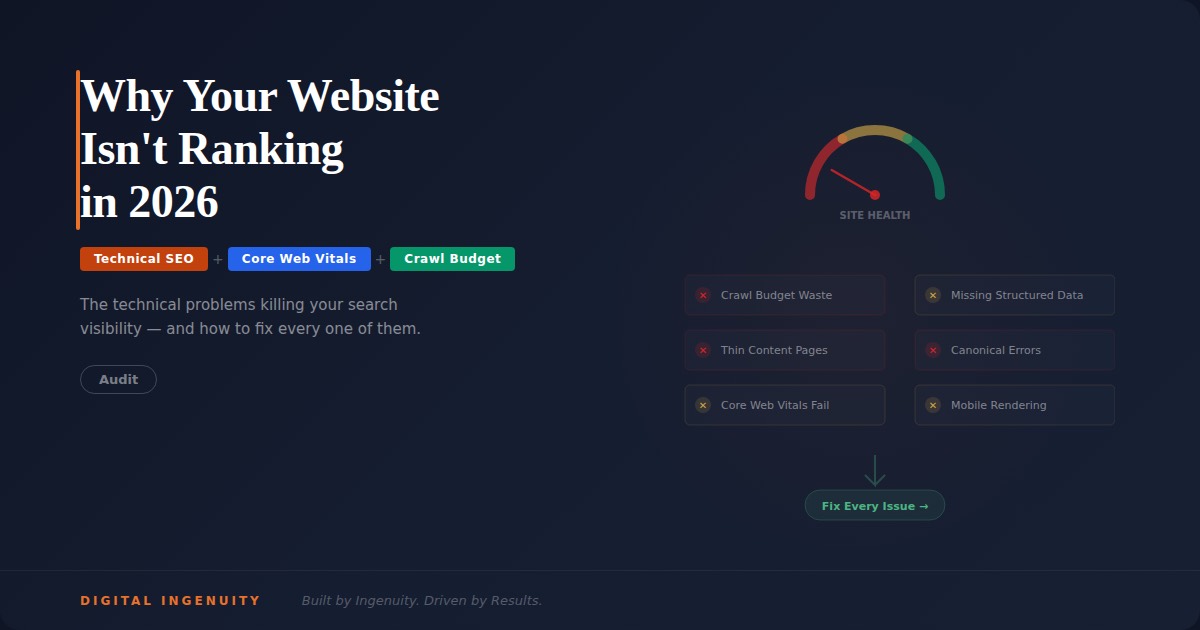
- The 12 most common technical issues include crawl budget waste, thin content pages dragging down site quality, missing schema markup, slow page speeds, and broken internal linking
- Google Search Console is your diagnostic dashboard — the “Not Indexed” report reveals exactly why Google is choosing not to index your pages
- Many businesses have hundreds of pages published but only a fraction indexed, meaning Google has evaluated and rejected the rest as not worth showing to users
- A properly engineered website (SiteLab™ approach) solves these problems at the architecture level rather than patching symptoms
You’re Not Being Outranked — You’re Being Ignored
Here’s a distinction that changes everything about how you think about SEO: there’s a difference between being outranked and being unindexed.
Being outranked means Google knows your page exists, has evaluated it, and has decided your competitors’ pages are more relevant or authoritative. That’s a content and authority problem you can solve by creating better content and building stronger signals.
Being unindexed means Google has crawled your page and decided it’s not worth including in its index at all. Your page doesn’t appear in search results — not at position 50, not at position 500. It simply doesn’t exist in Google’s database. For a growing number of businesses, this is the actual problem, and no amount of content optimization can fix it because the issue is technical.
We see this pattern constantly with businesses across Dallas, Houston, and every Texas market we audit. A business has a website with 100, 200, even 300+ pages — service pages, location pages, blog posts — but Google Search Console reveals that only 20% to 40% of those pages are actually indexed. The rest are marked “Not indexed: Crawled — currently not indexed” or “Not indexed: Discovered — currently not indexed.”
Google is telling these businesses, in its own diagnostic language, that their website has fundamental problems that no content strategy can overcome.
The 12 Technical Problems Killing Your Rankings
1. Crawl Budget Waste
Google allocates a limited crawl budget to every website — the number of pages Googlebot will crawl in a given period. When your site wastes crawl budget on low-value pages (duplicate content, parameter URLs, empty category pages, pagination), Google may never get around to crawling your important pages.
Common crawl budget offenders include faceted navigation generating hundreds of URL variations, session IDs appended to URLs creating infinite duplicates, WordPress tag and category archives with thin content, and staging or development pages accessible to search engines. A SiteLab™-engineered website eliminates these issues at the architecture level through proper URL structure, canonical tags, and crawl directives.
2. Thin Content Across Too Many Pages
This is possibly the most damaging technical problem in modern SEO. When a significant percentage of your website’s pages contain thin, duplicative, or low-value content, Google doesn’t just ignore those specific pages — it can suppress the entire site’s quality rating.
The pattern we see most frequently: a business creates location pages for 50 cities, but each page is essentially identical — same three paragraphs with only the city name changed, same stock photo, same generic service list. Google recognizes these as thin, duplicate pages and often refuses to index them. Worse, the presence of dozens of thin pages signals to Google that the site as a whole may not be a quality resource.
The solution isn’t to create 50 mediocre pages. It’s to create 15 to 20 exceptional pages — each with genuinely unique, substantial content that demonstrates real knowledge of that specific market. Quality over quantity is the principle that separates indexed, ranking pages from unindexed digital waste.
3. Missing or Incorrect Schema Markup
Schema markup is the structured data that tells search engines what your content means in machine-readable terms. Without schema, Google has to guess what your business does, where it’s located, and what each page is about. With proper schema, you’re providing explicit signals that improve both indexing accuracy and rich result eligibility.
Most business websites we audit are missing critical schema types: LocalBusiness schema (business identity and location), Service schema (individual services offered), FAQ schema (question and answer content), Article schema (blog posts and content pages), and Review/AggregateRating schema (review data).
Missing schema doesn’t just hurt rankings — it makes your site invisible to AI search platforms. GEO and AEO both depend on schema markup to help AI systems parse and cite your content. A site without schema is a site that AI systems struggle to understand.
4. Core Web Vitals Failures
Google’s Core Web Vitals — Largest Contentful Paint (LCP), Interaction to Next Paint (INP), and Cumulative Layout Shift (CLS) — are confirmed ranking factors. Sites that fail these metrics face a ranking penalty that suppresses visibility regardless of content quality.
Common Core Web Vitals failures include LCP over 2.5 seconds (often caused by unoptimized images, slow server response, or render-blocking JavaScript), INP over 200 milliseconds (caused by heavy JavaScript, unoptimized third-party scripts, or main thread blocking), and CLS over 0.1 (caused by images without dimensions, dynamically injected content, or late-loading fonts).
In Texas markets where mobile search dominates, Core Web Vitals failures are especially damaging because mobile devices are more sensitive to performance issues than desktop connections.
5. Broken Internal Linking
Internal links are how Google discovers your pages and understands the relationship between them. When your internal linking structure is broken, disorganized, or shallow, Google can’t efficiently crawl your site and can’t determine which pages are most important.
Common internal linking problems include orphan pages (pages with no internal links pointing to them), excessive link depth (important pages buried four or more clicks from the homepage), broken links (404 errors that waste crawl budget and break link equity flow), and inconsistent anchor text (varying link text for the same page confusing Google’s relevance signals).
Every blog post should link to relevant location pages, service pages, and other blog posts. Every location page should link to related services and relevant blog content. This internal linking web is what creates the authority signals that lift all pages simultaneously.
6. Canonical and Redirect Confusion
Incorrect canonical tags and redirect chains are silent ranking killers. When your canonical tags point to the wrong URLs, or when redirect chains stack three or four deep (URL A redirects to URL B, which redirects to URL C, which redirects to URL D), Google loses confidence in which URL is the authoritative version.
This is especially common after site migrations, domain changes, or CMS platform switches. A business that recently redesigned its website on a new platform may have hundreds of redirect chains, orphaned canonical tags pointing to old URLs, and conflicting signals that prevent Google from properly indexing the new site.
7. Missing Meta Descriptions and Title Tag Problems
Title tags and meta descriptions are the first impression your pages make in search results. Missing meta descriptions result in Google auto-generating snippets that may not represent your page well. Duplicate title tags across multiple pages confuse Google’s understanding of each page’s unique value. Title tags over 60 characters get truncated, potentially cutting off important keywords.
These issues are straightforward to fix but surprisingly common. A site audit of 200 pages might reveal 80 pages with missing meta descriptions, 30 pages with duplicate titles, and 40 pages with titles exceeding the character limit.
8. Mobile Usability Issues
Google uses mobile-first indexing, which means Google primarily uses the mobile version of your site for ranking and indexing. If your mobile experience has problems — small text, tap targets too close together, content wider than the screen, horizontal scrolling — Google’s evaluation of your site is based on this broken mobile experience.
This matters enormously in Texas, where mobile search accounts for the majority of local queries. A Frisco consumer searching “dentist near me” on their phone will encounter your mobile site first. If that mobile experience fails Google’s usability standards, your ranking suffers regardless of how good your desktop site looks.
9. JavaScript Rendering Dependency
Websites that depend on JavaScript to render content face a significant indexing challenge. While Google can render JavaScript, it does so in a deferred, secondary crawl that may not happen for days or weeks after the initial crawl. Content that only exists after JavaScript execution may never be properly indexed.
This is especially problematic for single-page applications (SPAs) built with React, Vue, or Angular frameworks. Without server-side rendering (SSR) or pre-rendering, the content Google sees during its initial crawl may be an empty shell — and Google may decide that empty shell isn’t worth indexing.
SiteLab™-engineered websites solve this through proper pre-rendering and SSR implementation, ensuring that Google’s initial crawl encounters the full, rendered content rather than waiting for JavaScript execution.
10. Duplicate Content Across Pages
Beyond thin location pages, duplicate content can appear in many forms: product descriptions copied from manufacturers, service descriptions repeated across multiple pages, boilerplate content that constitutes the majority of a page’s text, and blog posts substantially similar to content on other sites.
Google doesn’t penalize duplicate content in the way most people think — it doesn’t demote your site. But it does choose which version to index and ignores the rest. If your important service page is substantially similar to your competitor’s service page, Google may choose their version over yours.
11. Missing XML Sitemap or Robots.txt Problems
Your XML sitemap tells Google which pages you want indexed, and your robots.txt file tells Google which pages to avoid. Problems with either can have cascading effects on indexation.
Common issues include sitemaps listing non-existent pages (404 URLs), sitemaps including pages you don’t want indexed (thin category pages, admin pages), robots.txt accidentally blocking important page types or resources (CSS, JavaScript, images), and missing sitemap submission in Google Search Console.
12. No Monitoring — Flying Blind
Perhaps the most damaging “technical problem” isn’t a technical problem at all — it’s the absence of monitoring. Businesses that don’t regularly check Google Search Console, don’t track their indexation rate, don’t monitor Core Web Vitals, and don’t audit their technical health are unable to detect and fix problems before they compound.
A crawl error that goes unnoticed for six months can cascade into hundreds of broken pages. A Core Web Vitals regression after a site update can suppress rankings for weeks before anyone notices. A canonical tag misconfiguration can prevent an entire section of your site from being indexed.
SearchLight™ monitoring provides the continuous visibility that prevents technical problems from silently killing your rankings. It tracks indexation status, crawl errors, Core Web Vitals, and search visibility across Google, AI platforms, and voice assistants — ensuring problems are caught and fixed before they impact revenue.
The SiteLab Approach: Engineering Instead of Patching
The 12 problems above have a common thread: they’re architectural problems, not content problems. You can write the best content in your industry, but if your website’s technical architecture prevents Google from properly crawling, indexing, and evaluating that content, it will never rank.
This is why SiteLab™ Engineered websites exist. Rather than building a website and then trying to patch technical SEO problems after the fact, SiteLab builds technical SEO into the architecture from day one. Every page is engineered for crawl efficiency, proper canonicalization, schema markup, Core Web Vitals compliance, internal linking, and AI readability.
The difference is measurable: SiteLab-engineered sites typically achieve 90%+ indexation rates within 60 days of launch, compared to the 20% to 40% indexation rates we commonly see on conventionally built websites. When Google indexes 90% of your pages instead of 30%, you have three times the surface area competing for rankings and generating traffic.
How to Diagnose Your Site Right Now
You don’t need to hire anyone to start diagnosing technical problems. Open Google Search Console (if you don’t have it set up, that’s problem number one), navigate to the “Pages” report under “Indexing,” and look at two numbers: indexed pages versus not indexed pages.
If your “Not indexed” count exceeds your “Indexed” count, you have significant technical problems. Click into the “Not indexed” category to see why — Google tells you the specific reason each page wasn’t indexed. “Crawled — currently not indexed” means Google found the page but decided it wasn’t worth indexing (typically a quality signal). “Discovered — currently not indexed” means Google knows the page exists but hasn’t even bothered to crawl it yet (typically a crawl budget signal).
These diagnostic reports are the starting point for fixing your technical foundation. And fixing that foundation is the prerequisite for everything else — content strategy, GEO, AEO, VEO, local SEO — actually working.